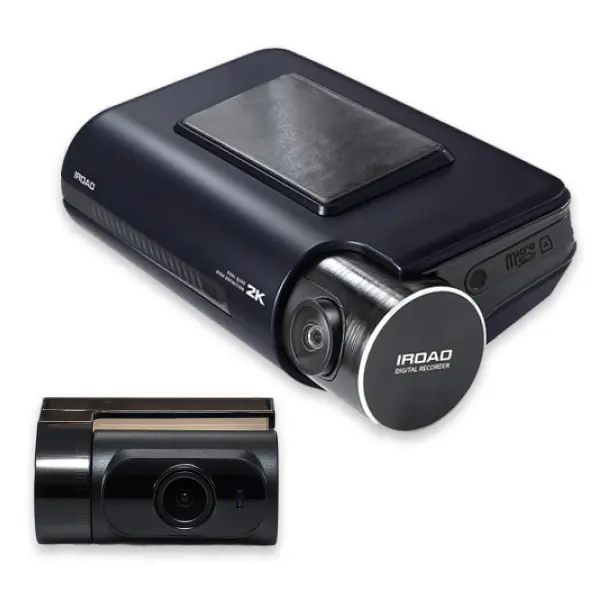
 premium
X11-PRO
Dual 2K QHD front and rear on Sony STARVIS 2 sensors, a step below the 4K flagship.
Who it is for: The buyer who wants sharp, matched 2K footage front and rear from a single IROAD kit.
Specifications
| Configuration | Front + rear (2-channel) |
|---|---|
| Front camera | 1440p QHD (2560 x 1440) at 30fps, Sony STARVIS 2 (IMX678) sensor, 155 degree diagonal field of view |
| Rear camera | 1440p QHD (2560 x 1440) at 30fps, Sony STARVIS 2 (IMX335) sensor, 155 degree diagonal field of view |
| Brand | IROAD |
| Model | X11-PRO |
Key features
- Both cameras record in 2K QHD, twice the detail of Full HD, front and rear
- Sony STARVIS 2 sensors front and rear, IROAD's strongest sensor pairing below the 4K flagship
- Built-in supercapacitor rather than a battery for better reliability in Australian heat
- X-VISION 2.0 night processing with HDR on both cameras for clearer footage after dark
- Upgraded external 5GHz Wi-Fi for faster previews and downloads to the IROAD app, plus built-in GPS
- ADAS lane departure and front vehicle departure warnings; time-lapse parking mode with impact and motion detection
- Records to microSD up to 256GB; backed by a 3-year Australian warranty
In plain English
The X11-PRO records in 2K QHD at both the front and the rear, which is twice the detail of Full HD in every direction. Both cameras use Sony STARVIS 2 sensors, so the footage stays clean in low light instead of turning into noise. It runs on a supercapacitor rather than a battery for better reliability in the heat, and it keeps watching in parking mode once it is hardwired. Built-in GPS records your speed and position with the video, and the upgraded 5GHz Wi-Fi makes pulling clips onto your phone quick when you need them for an insurer.
Have it hardwired and configured by us
Supply is only half the job. We fit the IROAD X11-PRO on the bench, hardwire it for parking mode, hide the cabling and set up the app before you drive out.