 premium
DRV-A501W
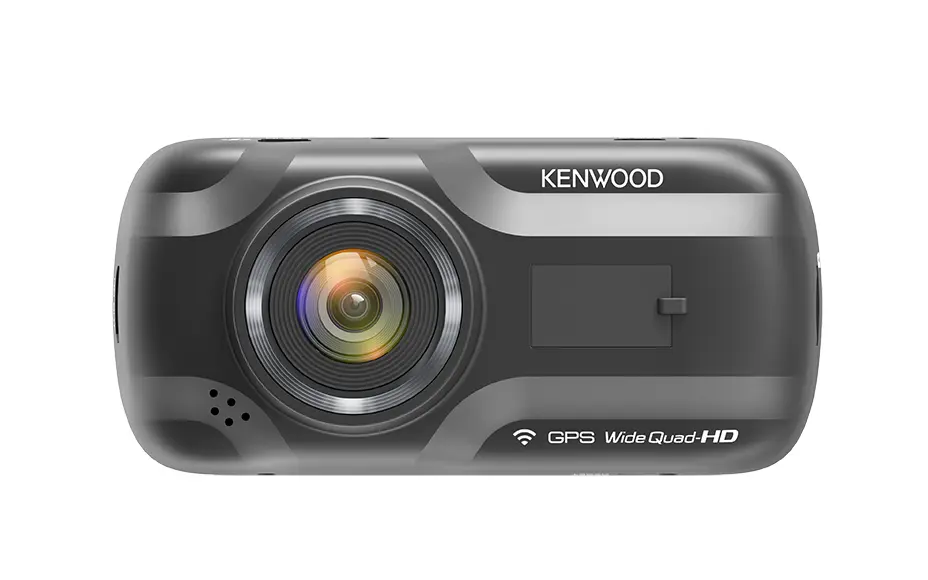
Quad HD Kenwood dashcam with a 3.0 inch touchscreen and an optional matched rear camera.
Who it is for: Drivers who like an in-car touchscreen and want the option of a rear camera.
Specifications
| Configuration | Front + rear |
|---|---|
| Front camera | 2560 x 1440 Quad HD at 30fps (Full HD when a rear camera is connected), 5.14 megapixel sensor (2616 x 1964), field of view 126 degrees horizontal, 110 degrees vertical, 126 degrees diagonal |
| Rear camera | Optional KCA-R100 rear camera, 1920 x 1080 Full HD, 2.0 megapixel sensor, 8m power and video cable, 180 degree adjustable mount |
| Brand | Kenwood |
| Model | DRV-A501W |
Key features
- 3.0 inch LCD touchscreen for setting up and playing back clips in the car
- Quad HD front recording with built-in GPS logging speed and location on every file
- Wireless Link to the Kenwood Dash Cam Manager phone app for reviewing and sharing footage
- Parking mode with the optional CA-DR1030 hardwire kit records the moment an impact is detected while parked
- Super Capacitor power buffer protects footage on power loss and suits hot Australian conditions
- Magnetic quick-release mount with two mounting styles and an included polarised filter
In plain English
The DRV-A501W records the road ahead in Quad HD and adds a 3.0 inch touchscreen, so you can frame the camera and check clips without a phone. Built-in GPS logs speed and position on every file. When the optional KCA-R100 rear camera is fitted, the front drops to Full HD and you gain a second channel covering the traffic behind. The Super Capacitor build handles parked heat well and parking mode captures an impact while you are away. We supply and install it with tidy, concealed wiring.
Have it hardwired and configured by us
Supply is only half the job. We fit the Kenwood DRV-A501W on the bench, hardwire it for parking mode, hide the cabling and set up the app before you drive out.